
About
High-impact homelab projects — infrastructure, Kubernetes, storage, and ops that ships.
The Developer’s Secret Weapon
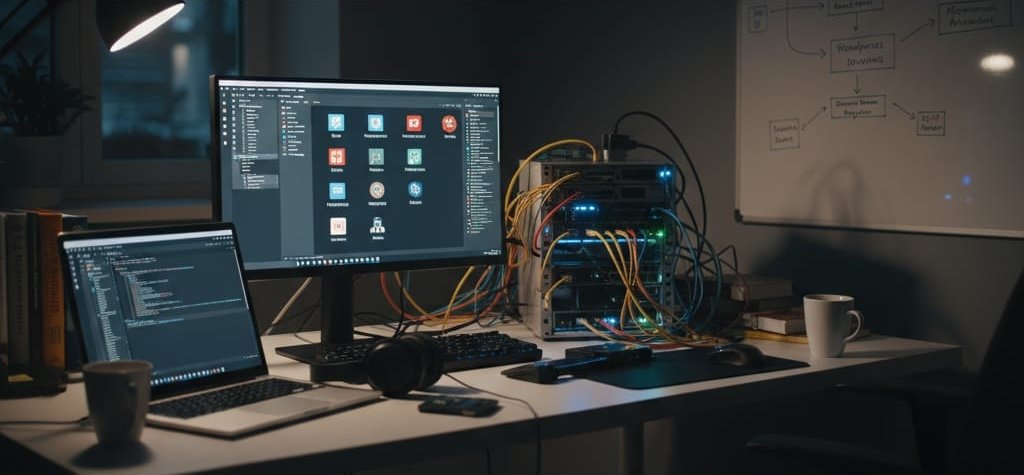
A software developer homelab is the ultimate catalyst for career growth in modern tech. Building a software developer homelab transforms you from a simple code writer into a master system architect.
Most engineers start their careers working on a standard corporate laptop. This machine is usually locked down by IT departments, burdened by mobile device management software, and severely limited in processing power. You simply cannot simulate a massive microservices architecture or deploy a complex continuous integration pipeline on a dual-core laptop without bringing it to a grinding halt. You need a dedicated environment to truly test the limits of your applications.
A software developer homelab is a dedicated local server environment. It can be built using physical hardware or virtual machines. This environment allows an engineer to experiment with infrastructure, automated deployment, and complex networking. Most importantly, it provides this playground without the risk of causing production downtime or generating massive cloud computing costs.
In a professional setting, making a mistake with server configurations can cost a company thousands of dollars or cause an embarrassing public outage. In your local server environment, mistakes are completely free. Breaking systems is the best way to understand how they work. You can intentionally break configurations, test security vulnerabilities, and fix things that would be strictly off-limits in a professional workspace. This provides a safe, highly effective sandbox for high-stakes learning.
The ultimate goal is to facilitate a major narrative shift in your career. You are no longer just writing code in a text editor. You are orchestrating entire systems. You are learning how software behaves when it leaves your local machine and enters a network. This transition from software developer to systems engineer requires hands-on experience, and a personal test environment is the perfect place to get it.
The Value Proposition: Accelerated Software Learning
Accelerating your software learning requires stepping outside of your comfort zone. The immediate value of a software developer’s homelab lies in creating a low-stakes, high-reward environment.
When you manage your own infrastructure, a kernel panic or a broken database migration is not a company disaster. It is a brilliant learning opportunity. You can destroy a virtual machine, figure out exactly why it failed, and restore it from a backup in seconds. This level of risk-free experimentation builds deep technical confidence that translates directly to your day job.
Beyond personal confidence, a personal data center acts as a massive career differentiator. Hiring managers review thousands of resumes that list standard coding languages. When a candidate discusses their personal server projects during an interview, it immediately sets them apart. It serves as tangible evidence of a self-starter attitude. It proves that the developer possesses a deep technical passion and an intrinsic curiosity about how technology functions behind the scenes.
Furthermore, this hands-on experience allows developers to skip entry-level positions entirely. By building and managing complex local networks, you gain mid-level infrastructure experience early in your career. You learn how to troubleshoot network latency, manage firewall rules, and monitor system resources. These are skills that normally take years to acquire on the job.
This environment naturally leads to vital skill diversification. Modern software engineering requires you to move far beyond the Integrated Development Environment (IDE). You must understand the full lifecycle of software development.
The full lifecycle encompasses everything from writing the initial local code to packaging it into isolated environments. It involves understanding network routing, load balancing, and secure deployment strategies. By managing your own infrastructure, you are forced to learn how all of these distinct puzzle pieces fit together to create a functional, reliable digital product.
The Core Philosophy: Embracing Open Source Software
Open source software is the backbone of the modern internet. It is also the primary toolkit for any successful software developer homelab.
Using proprietary, expensive enterprise software at home is generally cost-prohibitive. Open-source software provides enterprise-grade capabilities at no cost. It allows you to inspect the source code, modify tools to fit your specific needs, and rely on vast global communities for troubleshooting support. This makes it the ideal foundation for any personal test environment.
You use these free tools to test and gain absolute confidence with specific software solutions before they are ever deployed in a professional workplace setting.
To build a proper environment, you must understand the three distinct layers of modern infrastructure. Each layer relies heavily on specific community-driven tools.
The Virtualization Layer
The foundation of your environment is the virtualization layer. Instead of running one operating system on a piece of hardware, virtualization allows you to slice a single physical computer into multiple isolated virtual computers.
- Proxmox VE: Proxmox Virtual Environment is the industry standard for home server virtualization. It is a Type-1 Hypervisor. This means it runs directly on the bare metal hardware of your computer, rather than running on top of an existing operating system like Windows.
- Proxmox allows you to run multiple Virtual Machines (VMs) and Linux Containers (LXCs) simultaneously on a single physical machine.
- It provides a web-based graphical interface to monitor CPU usage, manage virtual hard drives, and configure virtual network switches. This replaces the need to buy multiple physical computers for different projects.
The Containerization Layer
Once you have your virtual machines running, you need a way to run your actual software applications cleanly and efficiently. This is where the containerization layer comes in.
- Docker: Docker is a platform designed for packaging applications into standardized units called containers. A container holds the software code, the runtime environment, the system tools, and the system libraries. This ensures that the application will run the same way regardless of where it is deployed. It completely solves the infamous “it works on my machine” problem.
- Kubernetes: Also known as K8s, Kubernetes is the system for automating the deployment, scaling, and management of Docker containers. While Docker runs a single container, Kubernetes orchestrates hundreds of them.
- It provides self-healing capabilities. If a container crashes, Kubernetes automatically restarts it. Learning Kubernetes locally gives you highly sought-after DevOps pipeline skills.
The Storage Layer
Data is the most critical component of any system. You must have a reliable, redundant way to store your databases, project files, and system backups.
- TrueNAS: TrueNAS is a specialized operating system designed specifically for Network Attached Storage (NAS).
- It uses the ZFS file system, which is incredibly robust and protects against data corruption and drive failure.
- Providing secure, redundant data storage is essential for complex development projects. TrueNAS allows you to create network shares that your virtual machines and containers can access seamlessly, separating your processing power from your data storage.
The Practical Application: The Power of Self-Hosting
Self-hosting is the practice of running your own software services on your own hardware, rather than renting them from a third-party cloud provider or Software as a Service (SaaS) company.
When you practice self-hosting, you maintain total control over your data, your privacy, and your configuration. This is a critical exercise in software learning because it forces you to become the administrator of the tools you rely on daily. You are responsible for the installation, the maintenance, and the upgrade cycles.
To maximize the value of your server, you should focus on deploying specific, developer-centric services. These tools will directly support your coding projects while teaching you valuable system administration skills.
Recommended Dev-First Services
- Version Control Systems: Every developer needs a place to store their code histories. Instead of relying on external services, you can host your own.
- Gitea: Gitea is a highly efficient, lightweight, self-hosted Git service. It looks and functions very similarly to GitHub, but it requires minimal system resources. It is written in Go, making it lightning-fast.
- GitLab: If you want a more robust, enterprise-grade experience, GitLab offers a comprehensive suite of tools. It requires more memory to run, but it closely mirrors the environments used by massive tech corporations.
- CI/CD Pipelines: Automation is the key to modern software delivery. CI/CD stands for Continuous Integration and Continuous Deployment. This is the automated process of building code, running automated tests, and deploying the finished product to a server.
- Woodpecker CI: Woodpecker is a simple, container-based continuous integration engine. It reads pipeline configurations written in YAML and executes them inside isolated Docker containers.
- Jenkins: Jenkins is the legacy heavyweight of the automation world. It is highly customizable through thousands of community plugins. Running Jenkins locally teaches you about build nodes, robotic process automation, and complex trigger events.
- Database Sandboxes: Modern applications rely heavily on robust data storage.
- PostgreSQL, MongoDB, and Redis: Hosting these databases locally is incredibly advantageous. It allows you to test complex, multi-table schema migrations safely.
- You can run massive, resource-heavy queries against large datasets without ever incurring expensive cloud API costs. You can test the differences between relational databases (PostgreSQL), document stores (MongoDB), and in-memory caching systems (Redis) instantly.
- Personal Documentation: Keeping track of your architectural decisions, IP addresses, and server configurations is vital. You need a personal knowledge base.
- Wiki.js: This is a powerful, modern wiki application built on Node.js. It allows you to write documentation in Markdown and organizes it beautifully.
- Obsidian: While Obsidian is a local markdown editor, you can use your server to host a secure sync service. This ensures your technical notes are backed up and accessible across all your devices, preserving your institutional knowledge.
Hardware Selection for the Self-Starter
A software developer homelab does not require a massive initial investment. You do not need to purchase cutting-edge gaming hardware or brand-new enterprise servers to reap the benefits of self-hosting.
The most popular hardware trend for beginners is the “TinyMiniMicro” movement. This movement focuses on rescuing and repurposing off-lease enterprise mini-PCs. These machines are roughly the size of a hardcover book.
Recommended models include the Lenovo ThinkCentre Tiny, the Dell OptiPlex Micro, and the HP EliteDesk Mini. Corporations cycle out thousands of these machines every few years, making them readily available and highly affordable on the refurbished market. They are incredibly power-efficient, drawing very little electricity, and they run almost silently.
When selecting your specific hardware specifications, you must adhere to a strict priority ranking. The requirements for virtualization are very different from the requirements for standard desktop computing.
Hardware Priority Ranking
- RAM (Random Access Memory): RAM is the absolute most important factor for developers building a local server. You should aim for a minimum of 32GB to 64GB of RAM. Virtualization “eats” memory quickly because every single Virtual Machine you create requires its own dedicated allocation of RAM to function properly. You will run out of memory long before you run out of processing power.
- Storage: Speed is critical when compiling code and booting operating systems. You should heavily prioritize NVMe Solid State Drives (SSDs) for your main operating system and your application data. NVMe drives offer massive read and write speeds compared to traditional spinning hard drives, ensuring fast build times and snappy database responses.
- CPU (Central Processing Unit): Surprisingly, the CPU is the least critical bottleneck for most lab environments. Most modern processors, such as Intel i5 or i7 chips from the 8th generation onwards, are more than sufficient. When choosing a CPU, total core count matters far more than base clock speed. Having more physical cores allows the hypervisor to efficiently distribute processing tasks across multiple virtual machines running simultaneously.
Silent Lab vs. Rack Mount
As your needs grow, you will eventually face a fork in the road regarding your hardware layout. You must choose between a homesteading approach and an enterprise rack approach.
“Homesteading” involves building a Silent Lab. This utilizes the TinyMiniMicro machines or custom-built, quiet desktop towers. These units sit quietly on a shelf or a desk in your home office. They generate very little heat and blend into the background.
“Enterprise labbing” involves purchasing heavy, loud rack-mounted servers (like Dell PowerEdge units) and placing them in a basement or a dedicated closet. These servers offer massive power, redundant power supplies, and vast storage bays. However, they sound like a jet engine taking off, generate immense heat, and will significantly increase your monthly electricity bill. For the majority of developers, the silent homesteading approach is the most practical starting point.
Bridging the Gap: Moving from Local to Cloud-Native
The ultimate purpose of a local server is to prepare you for the real world. A homelab acts as a cost-free “pre-cloud” environment to master fundamentals before you start paying real money for actual cloud resources.
To bridge the gap between your local hardware and professional cloud environments, you must treat your local server exactly as you would treat an Amazon Web Services (AWS) or Microsoft Azure deployment.
The first step in this transition is adopting Infrastructure as Code (IaC). Infrastructure as Code is the process of managing and provisioning your computer data centers through machine-readable definition files, rather than physical hardware configuration or manual, click-based management tools.
You should strictly encourage yourself to use tools like Terraform or Ansible to manage your environment. Instead of clicking through the Proxmox web interface to create a virtual machine, you write a text file that declares the VM’s specifications. Terraform then reads that file and automatically creates the machine. This allows you to version control your entire infrastructure, making it reproducible and documented.
This practice brings us to the concept of cloud parity. The open source software concepts you master locally are completely transferable. Learning to manage a local Proxmox virtualization cluster translates directly to managing AWS Elastic Compute Cloud (EC2) instances or Azure Virtual Machines. The underlying concepts of assigning IP addresses, managing firewall rules, and attaching block storage remain identical.
Finally, to truly emulate a cloud environment, you must be able to access your services from anywhere in the world. This requires setting up secure remote access. Exposing your personal server directly to the public internet is highly dangerous and invites relentless cyber attacks.
Instead, you should introduce tools like Tailscale or WireGuard into your network architecture. These are modern Virtual Private Network (VPN) tools. They create a secure, encrypted tunnel between your laptop and your home server. This allows a developer to securely access their home “cloud” from a coffee shop, a hotel room, or a corporate office without exposing any open ports to the public internet. It provides the convenience of the public cloud with the security of a private data center.
Starting Your Journey
Building a software developer homelab is a direct investment in your own career capital. It is not just about hoarding hardware; it is about creating a personalized sandbox where limits do not exist.
By engaging in self-hosting, you take ownership of your digital tools. By embracing open source software, you align yourself with the global standards of modern infrastructure. Together, these practices create a continuous, highly effective feedback loop of relentless software learning. You build a service, you break it, you fix it, and you walk away with practical knowledge that cannot be learned from a textbook.
Do not let analysis paralysis stop you from starting. You do not need to buy a $10,000 enterprise rack server to begin this journey. A single, decade-old laptop sitting in your closet is more than enough to install Linux, spin up Docker, and launch your first container. Start small, learn the fundamentals of the command line, and let your curiosity guide your next hardware purchase.
Take control of your learning and start building your environment today. Subscribe to the HomeLab Weekly newsletter for continuous new stack recommendations, step-by-step setup tutorials, and deep dives into the latest open-source orchestration tools.